In-depth Guide

Advanced
Features

Festival Wayfinder puts powerful tools in your hands to make the most of every festival visit. From smart proximity alerts to real-time partner sync, discover how our premium features transform your theme park experience.

Five Powerful Features to Enhance Your Festival Experience

01

Proximity Notifications

Get instant alerts when you're near wishlisted dishes, so you never miss a must-try booth.

02

Real Booth Wait Times

See actual wait times at each booth-not AI estimates or projections based on past crowd levels, but real-time data from visitors.

03

Partner Link

Coordinate with one festival companion by sharing wishlists and staying real-time synced.

04

Recommendations

Share your favorite dishes with friends or discover recommendations from others via share codes.

05

Interactive Map Filtering

Filter booths by Festival, Year Round, or Wishlist status to focus on what matters to you.

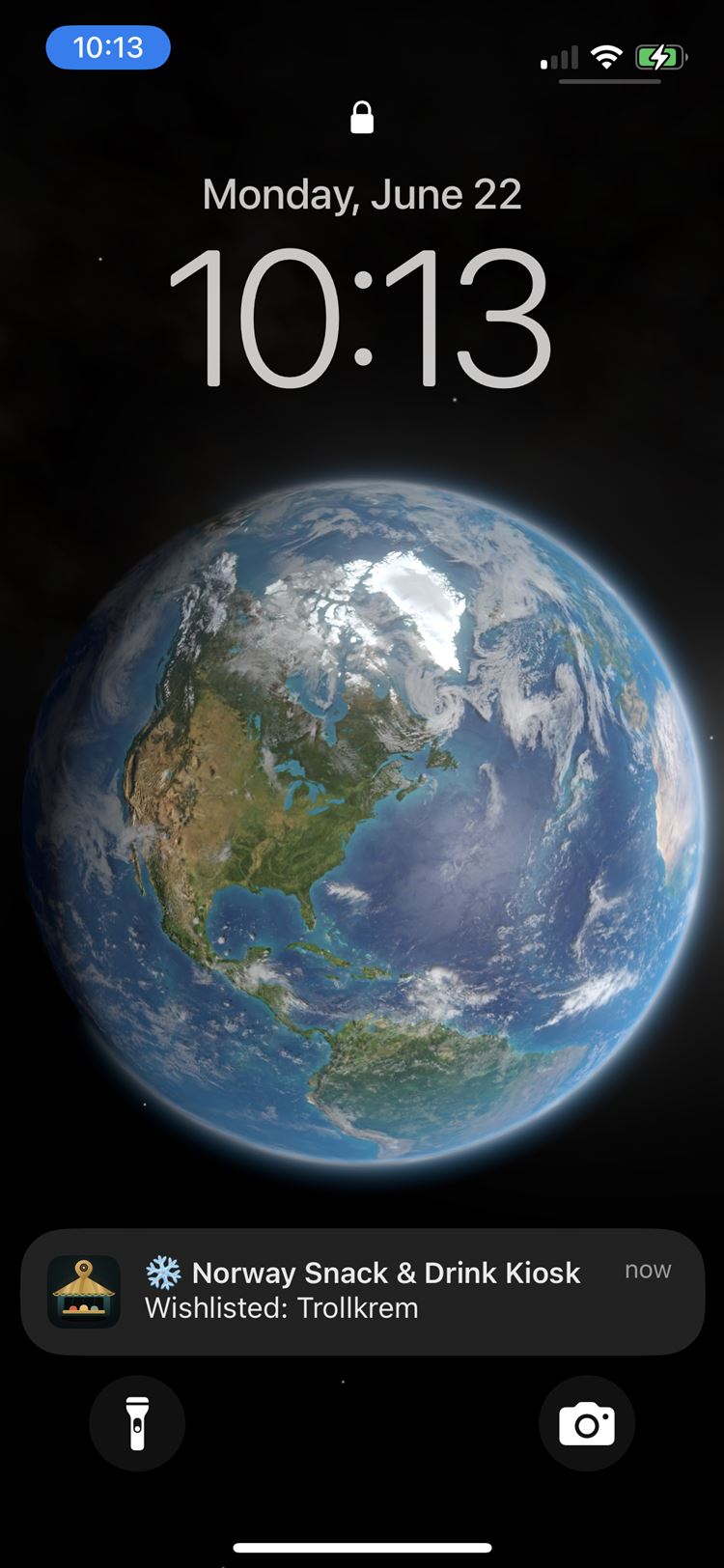
Proximity Notifications feature showing push alert when walking near wishlisted dish
01

Proximity
Notifications

Get alerted the moment you're near your favorite dishes

On a busy family day at Disney with so much happening, it's easy to miss your must-try dishes or end up backtracking. Festival Wayfinder uses GPS to monitor your location and sends real-time notifications when you're approaching a booth with items on your wishlist, ensuring you never miss something entirely.

How It Works

  1. 1 Add dishes to your wishlist from any booth menu
  2. 2 Receive instant alerts as you walk through the festival
  3. 3 Visit the booth when notified
Real-time booth wait times showing actual visitor data and queue information
02

Real Booth
Wait Times

Real-time wait times from real visitors

Skip the guesswork. Festival Wayfinder displays real wait times at each booth based on actual visitor data, not AI estimates or projections based on past crowd levels. See how long the line really is right now, so you can plan your route and manage your festival day efficiently.

How It Works

  1. 1 Browse booths on the map or in your wishlist
  2. 2 View real-time wait times contributed by visitors
  3. 3 Plan your route based on current booth queues
  4. 4 Update wait times as you visit booths to help others
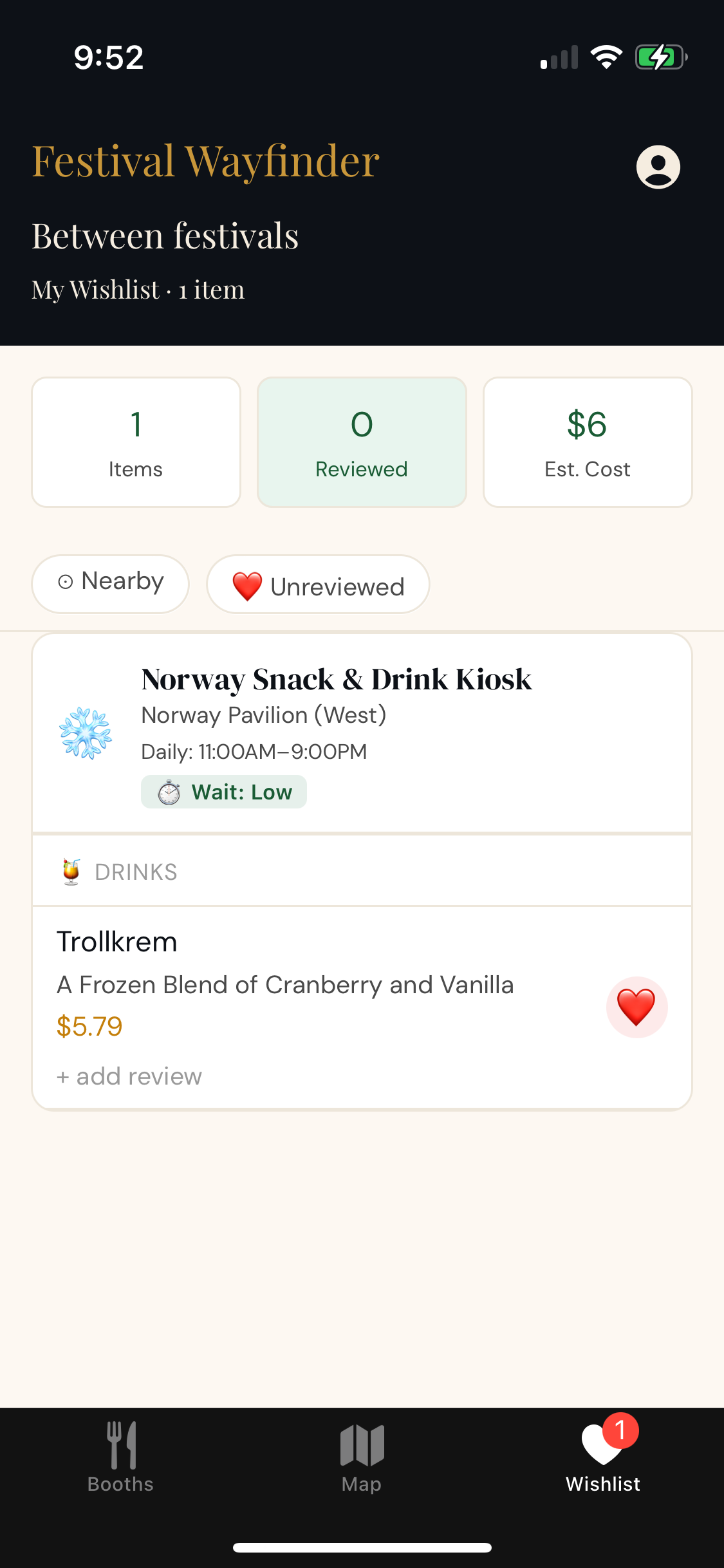
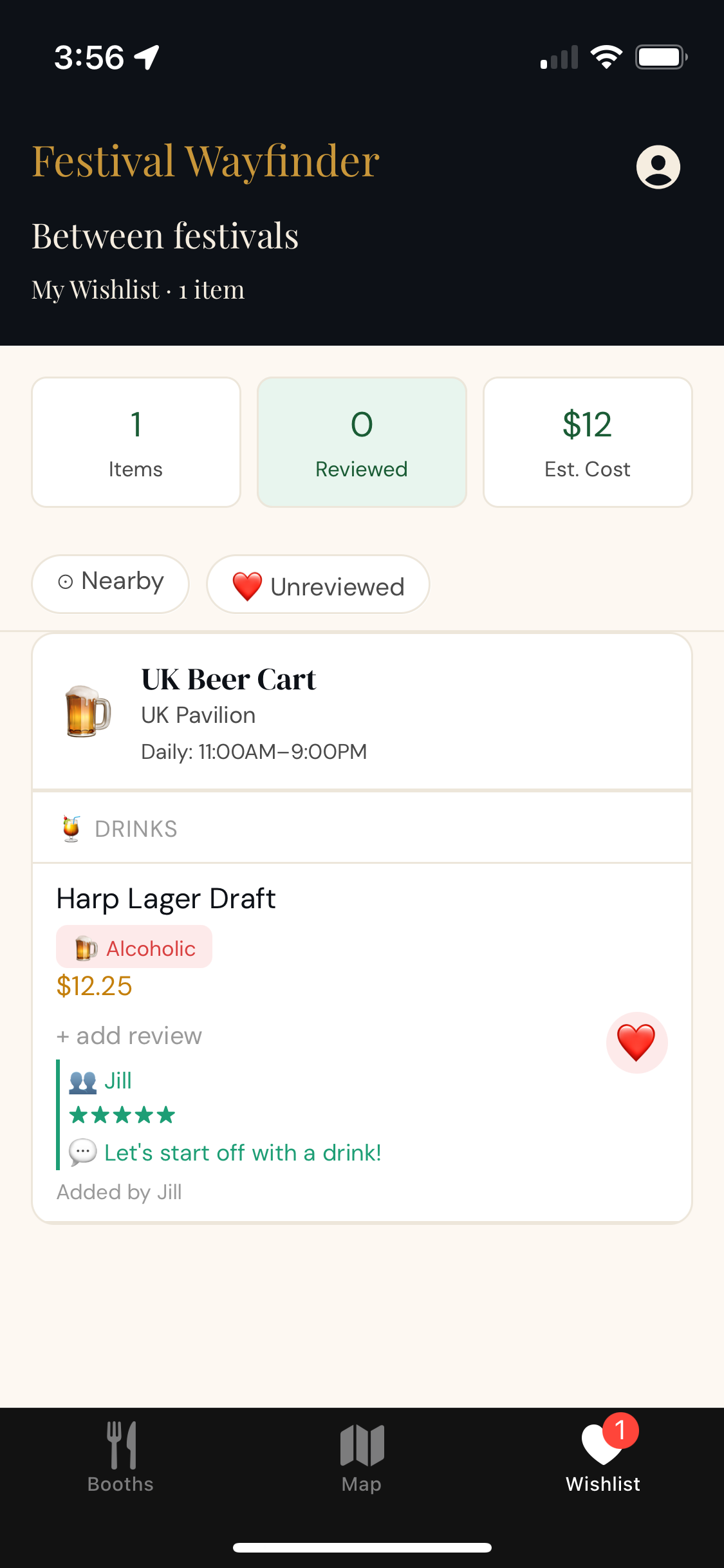
Real-time partner sync feature showing shared wishlists between two users
03

Partner
Link

Coordinate with one festival companion in real-time

Visiting the festival with someone special? Link your account with one companion account to share wishlists and stay coordinated. See what your partner has wishlisted and keep your preferences in sync throughout the festival. Reviews are also synced but kept separate, so each of you maintains your own feedback.

How It Works

  1. 1 Generate a unique share code in the app settings
  2. 2 Share the code with your companion
  3. 3 Wishlists sync automatically across both devices
  4. 4 Stay synced and explore together throughout the festival
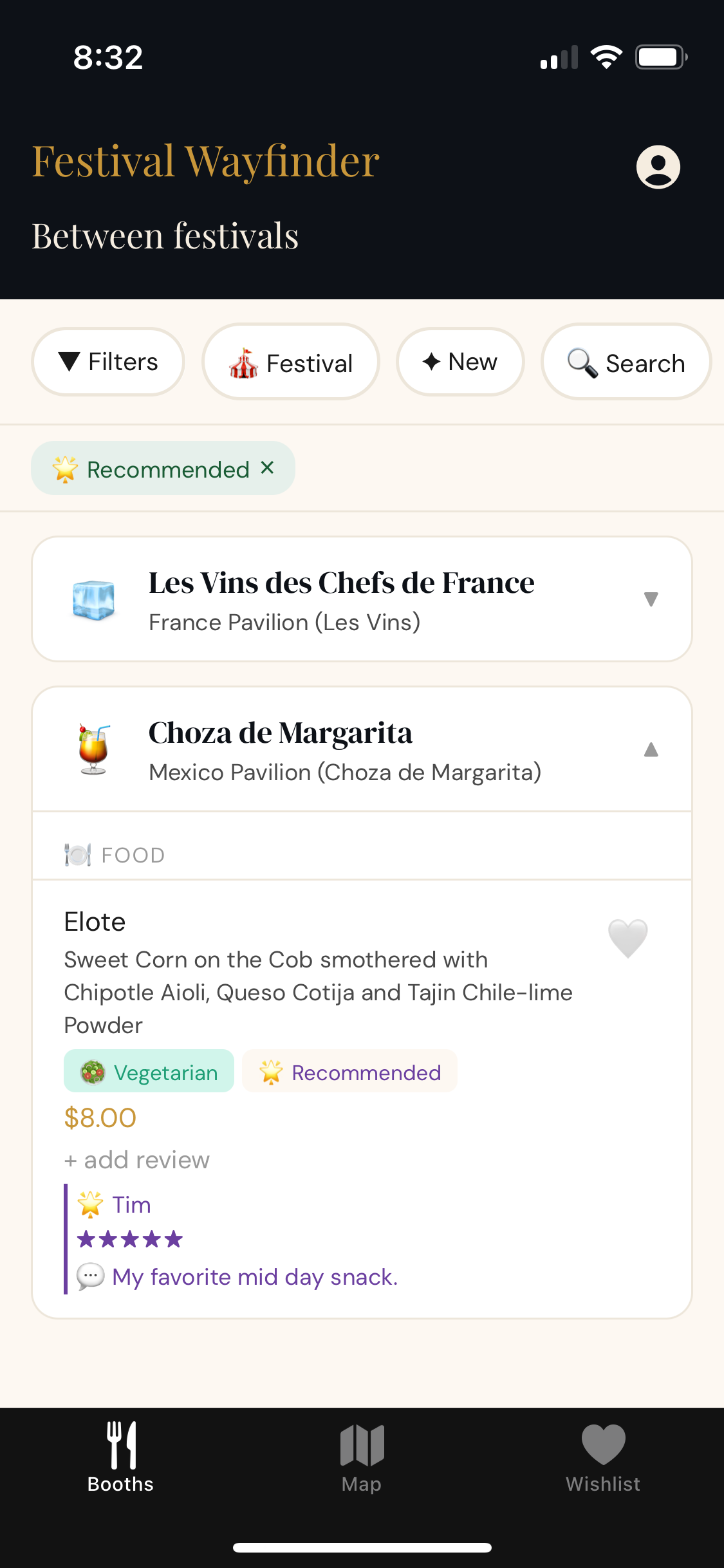
Recommendations showing top-rated dishes with reviewer insights and star ratings
04

Recommendations

Share and discover handpicked favorites from friends

Share your favorite dishes with friends or discover what others love. Festival Wayfinder lets you create personalized recommendation sets with your reviews, then share them via code. Friends can load your recommendations to see what you've loved with your insights included.

How It Works

For Creators

  1. 1 Add your favorite dishes to a wishlist
  2. 2 Submit reviews and ratings for those items
  3. 3 Create a share code, which snapshots your current wishlist
  4. 4 Share your code however you like

For Viewers

  1. 1 Get a share code from someone
  2. 2 Load the code in the app
  3. 3 Browse their favorite dishes and reviews
  4. 4 Add their recommendations to your wishlist
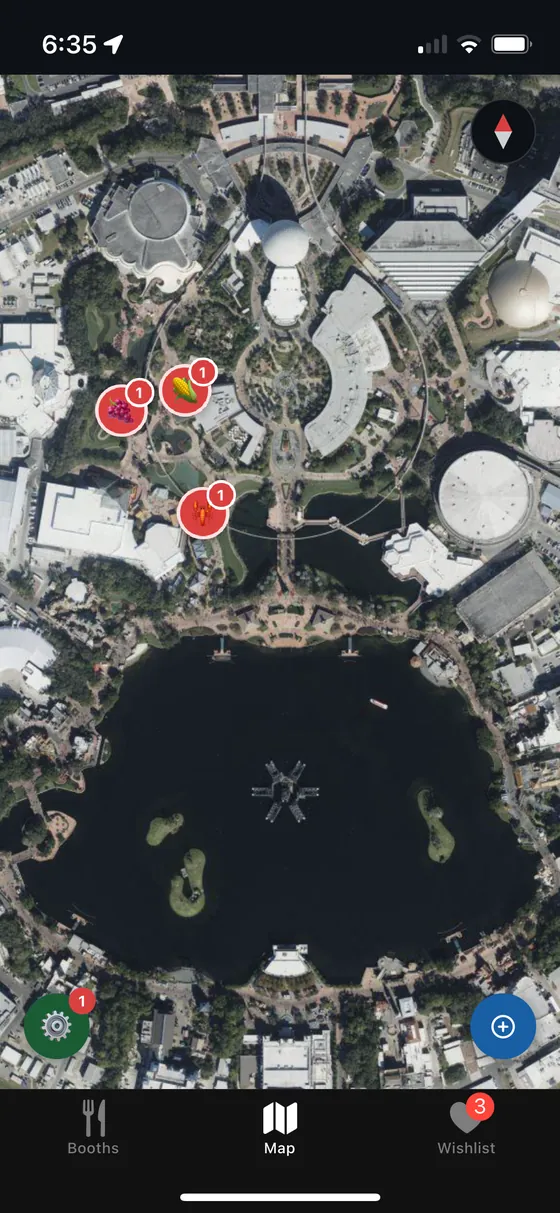
Interactive map showing only wishlisted booths filtered and highlighted
05

Interactive
Map Filtering

See only what matters to you on the festival map

Use filters to focus on booths that match your interests. Filter by Festival, Year Round, or Wishlist status. The interactive map updates in real-time as you refine your choices, making it easy to plan your festival route efficiently.

How It Works

  1. 1 Open the map view from the main navigation
  2. 2 Apply filters by Festival, Year Round, or Wishlist status
  3. 3 View filtered booths highlighted on the interactive map
  4. 4 Browse booth details and add items to your wishlist

Ready to
explore
smarter?

Download Festival Wayfinder free and unlock these powerful features. Start building your wishlist and getting proximity alerts before your next park day.